
Modern computers possess extraordinary processing power, surpassing even the most formidable supercomputers from three decades ago. This immense capability has empowered countless musicians to produce chart-topping hits without stepping foot in a traditional studio. Instead, they utilize their home computers as their creative hubs. If you aspire to follow in their footsteps, understanding how to connect your guitar to your computer is the first crucial step. Thankfully, this process is straightforward, but there’s one essential piece of equipment that we highly recommend. Keep reading to discover what you need and how to expertly connect your guitar to your computer, ensuring optimal sound quality.
Essential Equipment for Connecting Your Guitar
While you can certainly start with basic setups, investing in a high-quality audio interface can significantly enhance your audio experience. For instance, the Focusrite Scarlett Solo 3rd Gen USB Audio Interface is a fantastic option, priced around $99.99 (regularly $129.99). This interface simplifies the connection process and elevates your audio output.
Understanding the Role of an Audio Interface
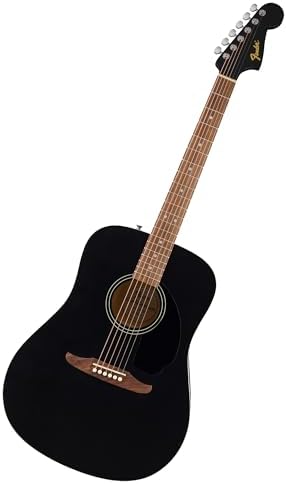
You might wonder, what exactly is an audio interface? Although your computer already has a built-in audio interface, having a dedicated one can drastically improve your setup. It reduces latency while allowing real-time playback and enabling you to fine-tune your sound as you play along with multi-track projects.
The Importance of an Audio Interface
Understanding how audio interfaces function is imperative for any aspiring musician. Your guitar generates an analog signal, and the audio interface transforms this into digital data—essentially converting sound waves into manageable information that your computer can process. Once it processes this data, it converts it back into an analog signal, which you hear through your speakers or headphones.
This transformation occurs through multiple stages, introducing a potential for latency and sound quality loss. Latency, which is the delay between playing a note and hearing it, is measured in milliseconds. The goal is to achieve latency levels close to zero, typically below 10 milliseconds. Furthermore, a quality audio interface ensures that sound distortion remains minimal, letting you enjoy your music the way it was meant to be heard.
Multi-Effects Pedals and Amps as Interfaces
Many modern multi-effects pedals and guitar amplifiers come equipped with built-in audio interfaces. By connecting them to your computer via USB, you can simplify your setup considerably. This advantage makes multi-effects pedals a superior choice over standalone pedals, allowing for a more streamlined and integrated experience.
Other Necessary Equipment
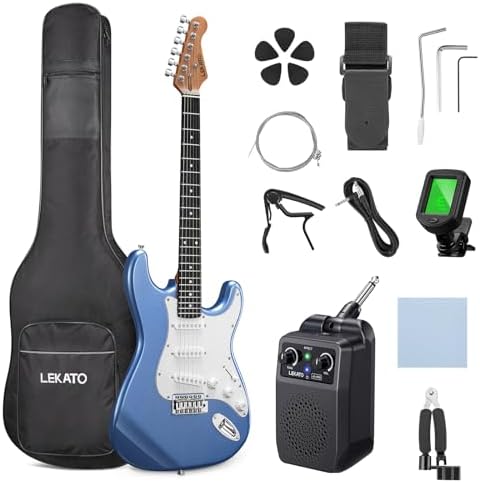
In addition to your guitar and cables, you will need other essential items for your setup. High-quality speakers or headphones are crucial for accurate sound monitoring. It’s also wise to acquire 1/8-inch to 1/4-inch adapters and vice versa to ensure compatibility with different equipment. Extra USB cables can also be beneficial, as the required type varies depending on your specific audio interface and computer model.
Beyond hardware, you’ll also need the right software to facilitate your music-making process. A Digital Audio Workstation (DAW) is essential for recording your guitar onto your computer. If you’re focused on simple jamming rather than detailed multi-track recording, standalone amp and effect emulation software will suffice. Fortunately, many excellent free options are available. For instance, GarageBand is a free DAW for macOS and iOS users. Other developers also offer free versions of amp and effects emulators, like IK Multimedia’s AmpliTube 5 CS. It’s noteworthy that these emulators can function within DAWs, helping you achieve your desired tones during real-time recording.
Connecting Your Guitar to Your Computer
Let’s walk through the process of connecting your guitar to your computer. The first step is to connect your audio interface (or amp/multi-effect pedal) to your computer via USB. Feel free to verify if additional software or drivers are required; modern operating systems typically manage this effortlessly, given you have an internet connection.
Next, plug your speakers or headphones into the designated output of your audio interface. Remember to then connect your guitar. After strumming a few chords, check whether the audio interface indicates it is receiving a signal from your guitar.
Setting Up Your System
Most contemporary setups work seamlessly thanks to plug-and-play technology. You can simply open your DAW, create a new track for your guitar, and you’re good to go. From there, you can add amplifiers, effects, and pedals to enhance your sound.
However, configuring certain parameters—like buffer size—might be necessary to minimize latency. Some advanced DAWs may also require you to map channels appropriately. Thankfully, many user-friendly options on the market today eliminate the need for extensive technical knowledge, allowing for a straightforward setup.
As previously mentioned, be vigilant about latency and sound quality. Latency above 10 milliseconds can become noticeable, leading to a frustrating playing experience, as the sound will not align with your playing. You may also encounter unwanted noises, such as crackling, which usually indicates that you’re overloading your system with effects. Monitoring your input levels on the audio interface can help you avoid clipping and distortion.
Connecting Without an Audio Interface
While it’s technically possible to connect your guitar directly to your computer without an audio interface, this method is far from ideal. Although it may appear straightforward, it often compromises sound quality and introduces noticeable latency—especially when using multiple effects. All you need to connect this way is a 1/4-inch to 1/8-inch adapter for your guitar cable.
Using this approach, you can still utilize software tools mentioned above. You may also insert regular pedals in a chain plugged directly into your computer. However, it’s essential to recognize that this setup can be limiting compared to using a dedicated audio interface.
Final Thoughts on Connecting Your Guitar to a Computer
In summary, connecting your guitar to your computer is a straightforward process, but achieving the best results requires a high-quality audio interface. Not only does it streamline the connection process, but it also enhances sound quality and opens the door to numerous creative possibilities. While you can connect your guitar without an audio interface, this method presents several limitations and can introduce latency challenges.
If your goal is merely to practice silently or jam along with your favorite tracks, you might consider plugging your headphones directly into an amplifier instead. This method allows for a more convenient practice session without the complexities of a full recording setup. Ultimately, whether you connect directly or invest in a dedicated audio interface, dive into this exciting music-making journey, and enjoy the creative process.